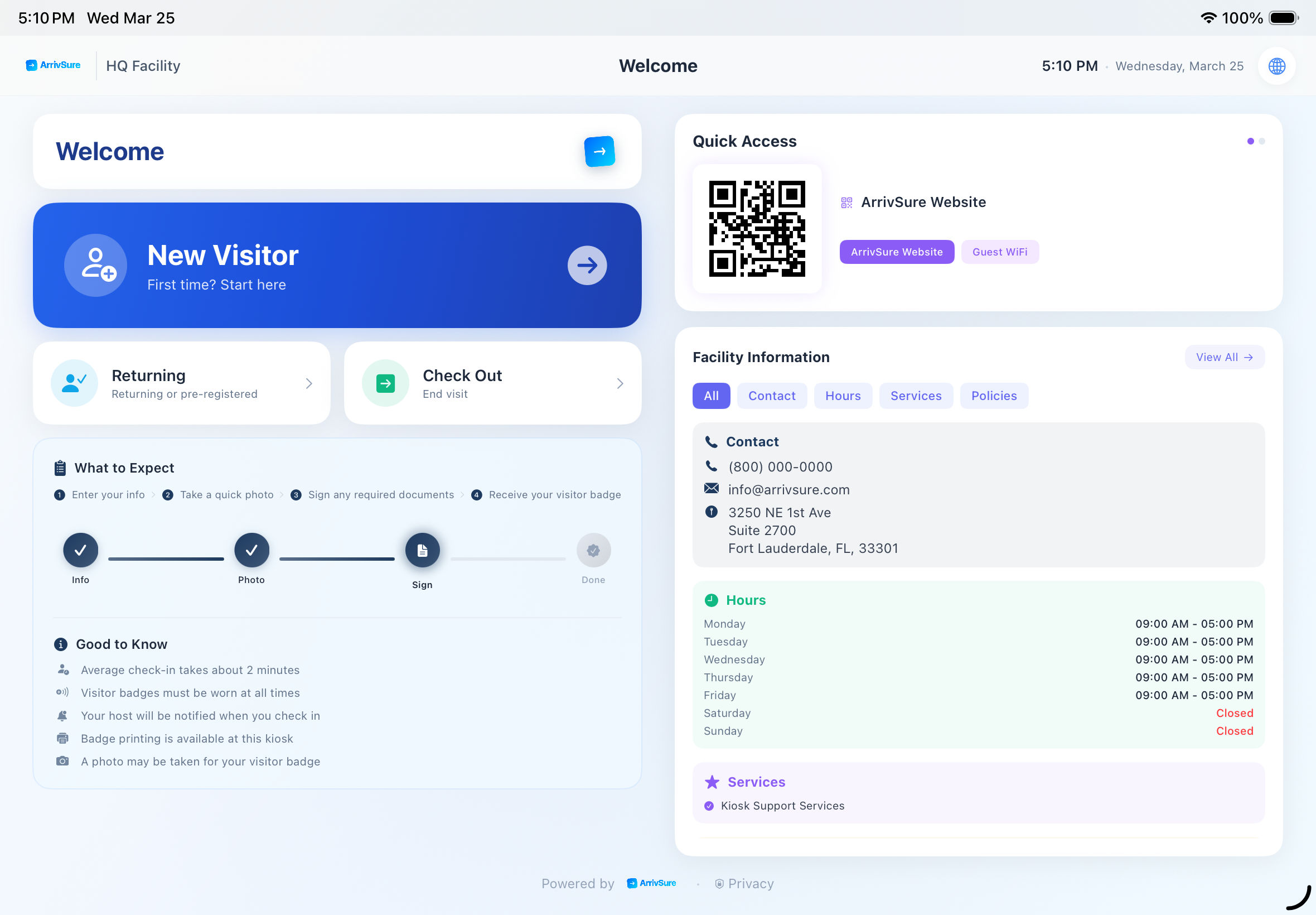
The kiosk app that solves badge printing
Web browsers on iPad can't talk to thermal printers. Our native iOS app connects directly to Brother QL-series label printers via the Brother SDK — so a badge prints the moment a visitor finishes checking in, no laptop or workaround required.
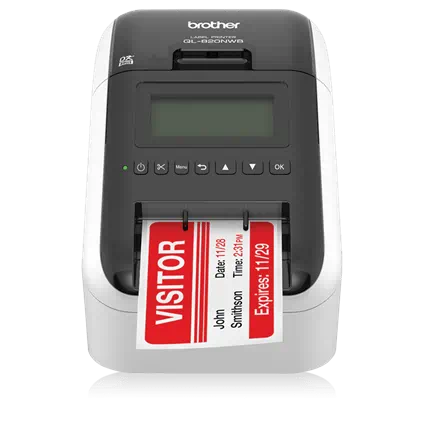
Brother QL-820NWB
Our recommended label printer — prints wirelessly over Bluetooth or Wi-Fi the moment a visitor completes check-in.
A complete check-in, self-served
Screening, signing, photos, badges, and recognition — handled by the kiosk so your receptionist doesn't have to.
Guided self-service check-in
A step-by-step form with smart fields and visit-purpose selection that adapts to how each visitor type should check in.
Check in in 12 languages
A built-in translator lets visitors switch to their language at any point during check-in — English, Spanish, Haitian Creole, Portuguese, Chinese, French, and more.
Health screening
Configurable screening questionnaires with a temperature check, tailored per facility.
On-screen document signing
Visitors read and sign waivers, agreements, and facility documents right on the iPad, captured with a full signature audit trail.
Photo capture & instant badges
Snap a visitor photo and print a badge in seconds — with name, host, purpose, timestamp, and QR code.
Recurring-visitor recognition
Returning visitors check in by badge, phone, or QR. VIP, watch-list, and banned profiles trigger instant staff alerts.
Group check-in
Check in a visitor plus up to five accompanying guests in one flow, each with their own badge.
Branded idle screen & facility info
Between visitors the kiosk shows your logo, welcome message, and a live clock — plus tabs for hours, services, staff bios, and QR quick-access to Wi-Fi or any link.
Package & food drop-off
Couriers tap the delivery type, scan the shipping label to auto-fill the details, pick the recipient, and go — the recipient is alerted instantly.
Vendor compliance gate
Vendors with missing or expired credentials are flagged — or blocked — at check-in, per your policy. Staff overrides are always audit-logged.
From welcome to badge in under a minute
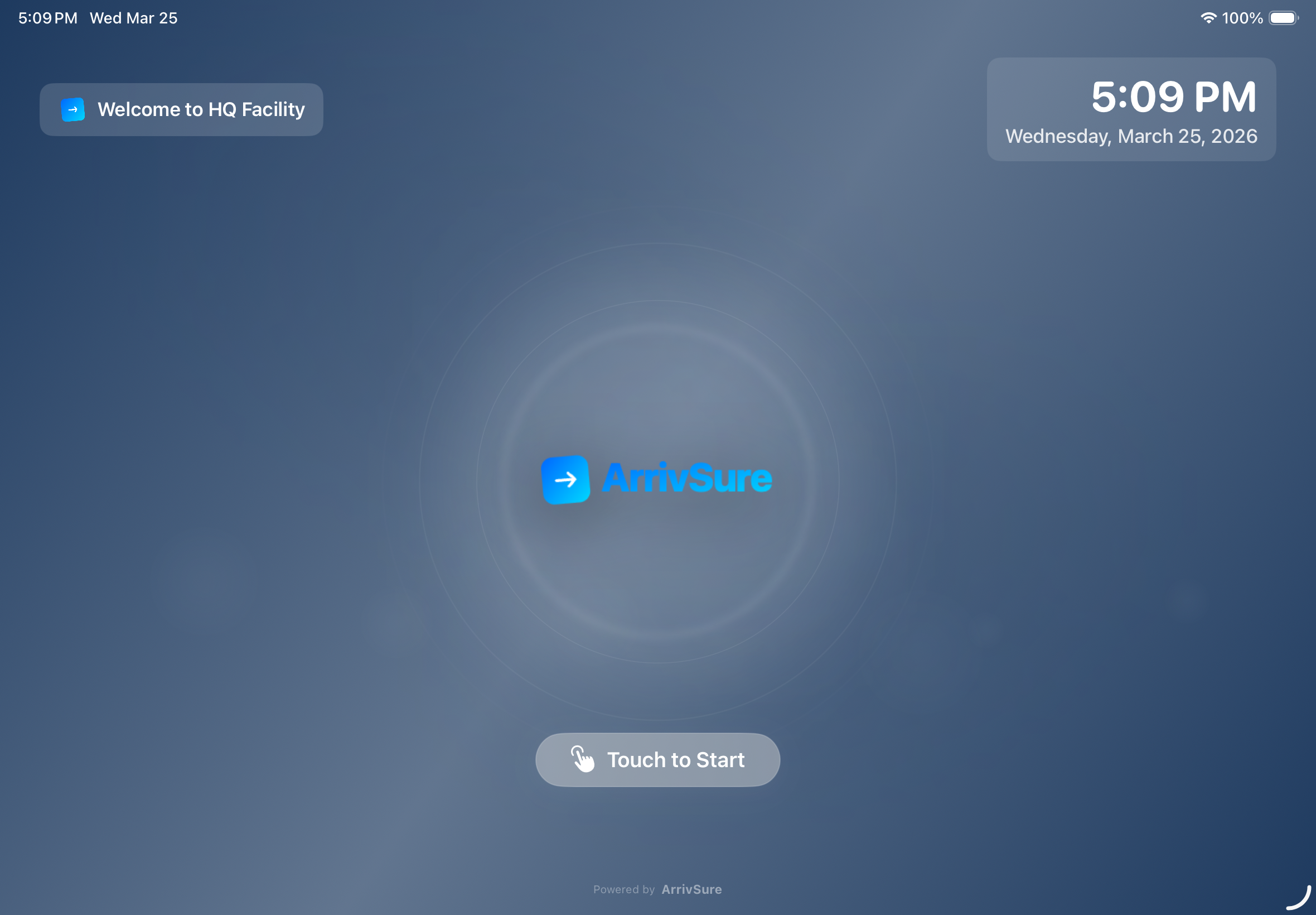
Branded idle screen
Your logo, colors, and a live clock.
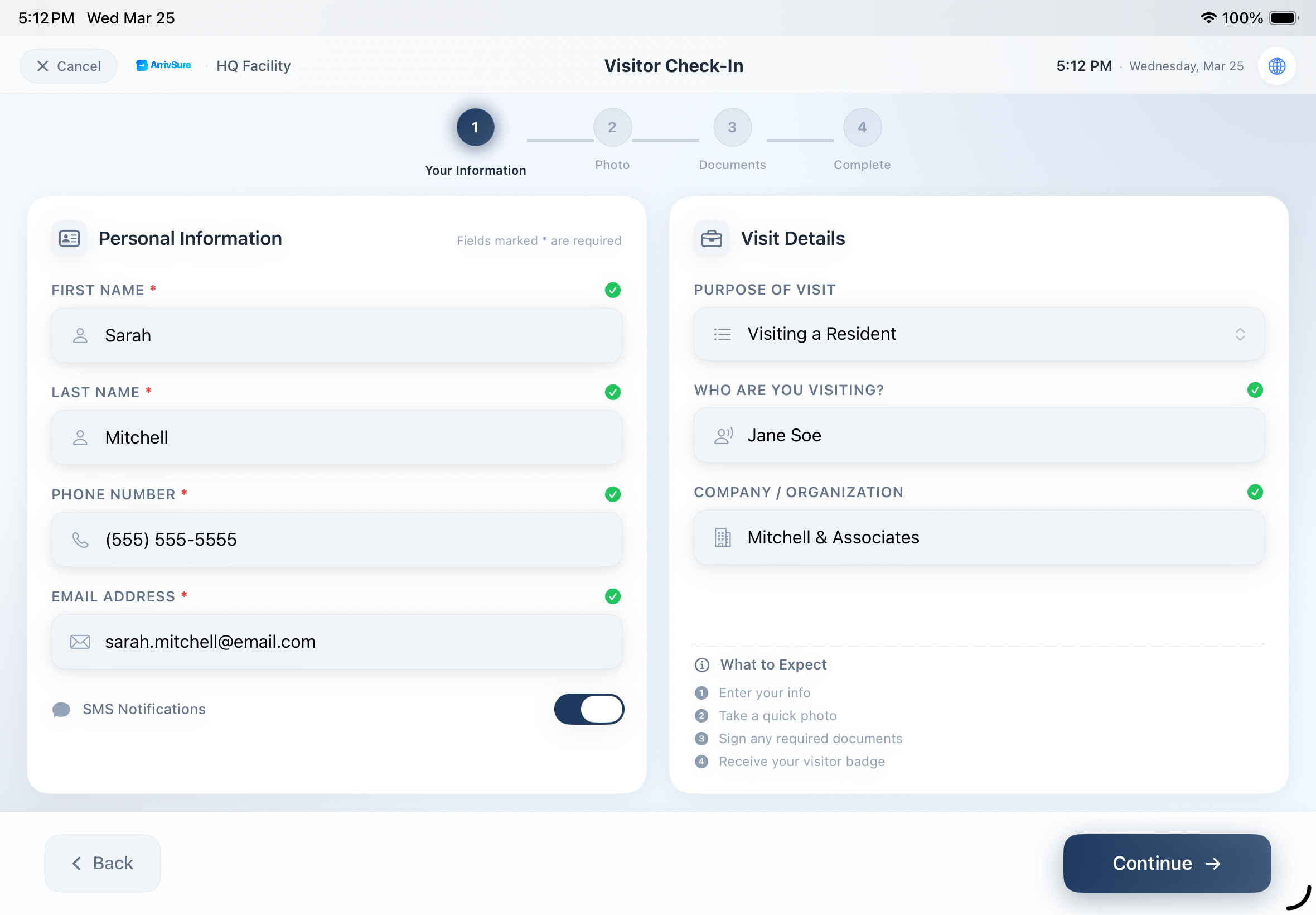
Guided check-in
Smart fields and visit purpose.
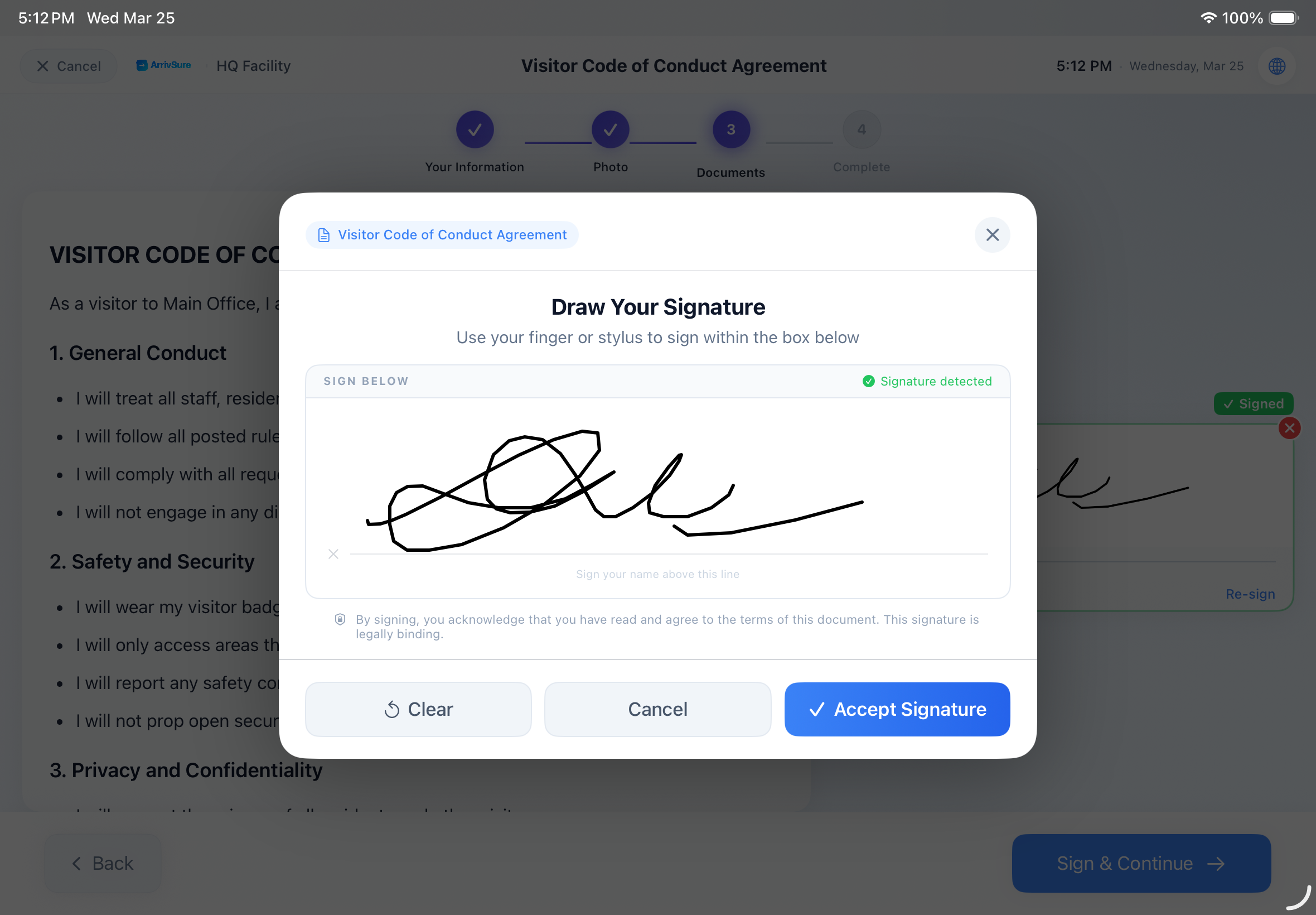
Document signing
Sign waivers on the glass.
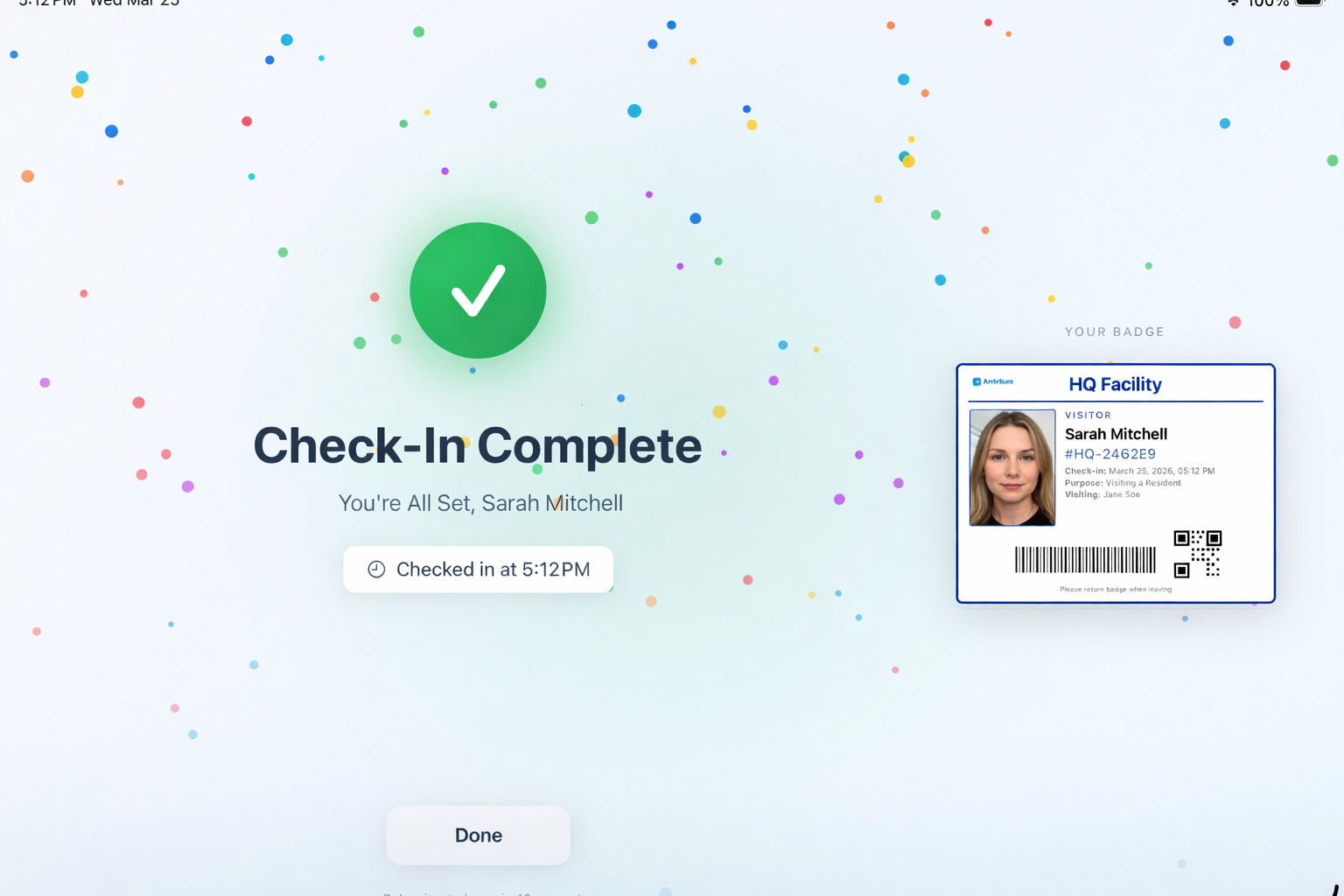
Badge in seconds
Photo + QR badge, auto-printed.
Native iPad app
Purpose-built for iPad and deployed lobby-ready in minutes.
Brother QL badge printing
Connects to Brother QL-series printers over Wi-Fi or Bluetooth via the official SDK.
Event check-in
Switch the same kiosk into event mode and scan QR tickets at the door.
PIN-protected admin
A hidden, PIN-gated admin panel keeps settings safe on a public device.